

The cryptocurrency space is growing fast, and with it comes a need for tools that help users interact securely with decentralized applications (dApps). WalletConnect is one of the widely adopted solutions that enables users to connect their wallets to dApps without giving up control of their private keys.
From decentralized finance to NFT marketplaces, WalletConnect plays a central role in how users access and navigate blockchain-based services. Whether you're new to crypto or just exploring new tools, understanding WalletConnect can help you take the next step into Web3 with more confidence. In this guide, you will learn what WalletConnect is, how it works, how to use it, and the purpose of its native token, WCT (WalletConnect Token).
What Is WalletConnect?
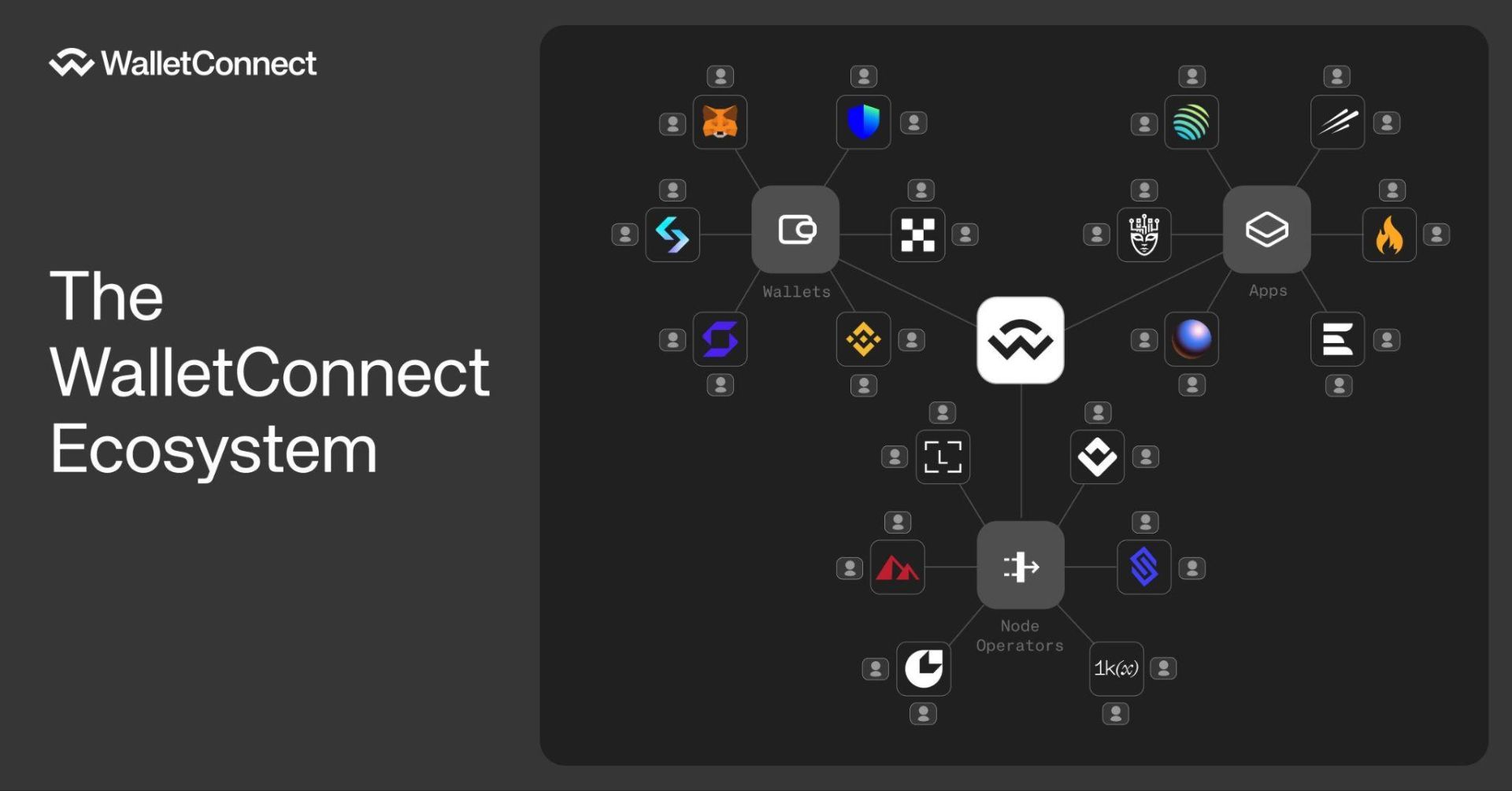
WalletConnect is an open-source protocol that allows users to securely connect their cryptocurrency wallets to decentralized applications (dApps) without exposing private keys or relying on browser extensions. It was created to solve a key problem in the blockchain space: enabling smooth and secure interactions between wallets and dApps across different platforms and devices.
Before WalletConnect, connecting to dApps often required using browser wallets or custom integrations, which created security risks and limited mobile accessibility. WalletConnect simplifies this by using QR codes or deep links to establish a secure connection between the user’s wallet and the application.
WalletConnect was founded in 2018 by Pedro Gomes, a developer focused on improving user experience in the decentralized web. Since its launch, WalletConnect has grown into a widely used infrastructure layer in Web3, supported by hundreds of wallets and thousands of dApps across multiple blockchain networks.
How WalletConnect Works
WalletConnect functions as a communication layer between a crypto wallet and a decentralized application (dApp). Rather than using a browser extension or requiring the user to enter sensitive details, it establishes a secure session through a simple QR code scan or a mobile deep link.
1. Connection Request: When a user visits a dApp and selects WalletConnect as the connection method, the dApp generates a unique session request, typically displayed as a QR code.
2. Session Approval: The user opens their wallet app, scans the QR code, and approves the request. This initiates an encrypted session between the wallet and the dApp.
3. Encrypted Communication: Once connected, the dApp can send requests to the wallet—such as signing a transaction or message. The wallet displays these requests, and the user can approve or reject them. All communication is encrypted, and no private keys are ever shared.
4. Transaction Signing: If the user approves an action, the wallet signs the transaction locally and sends it back to the dApp. Only signed data is transmitted—private keys remain securely stored in the wallet.
5. Session Management: The session stays active until it is either manually disconnected by the user or times out. This allows for a persistent and uninterrupted user experience across different dApps and blockchain networks.
WalletConnect also supports multiple blockchains, so users can interact with Ethereum-based dApps as well as applications on other chains like Solana, Polygon, or BNB Smart Chain—all from the same wallet interface.
Everything You Need to Know About WalletConnect Token (WCT)
The WalletConnect Token, or WCT, is the native governance and utility token of the WalletConnect Network. Built on the Optimism blockchain, WCT plays a central role in decentralizing the protocol and aligning incentives among users, developers, node operators, and other participants.
WCT Tokenomics
● Total Supply: The maximum supply is fixed at 1 billion WCT, with no planned inflation.
● Transferability: Initially non-transferable, WCT became transferable in April 2025 following a governance vote.
● Airdrops: WCT has been distributed to eligible users and contributors based on their past interactions and support of the ecosystem. Additional phases may occur in the future.
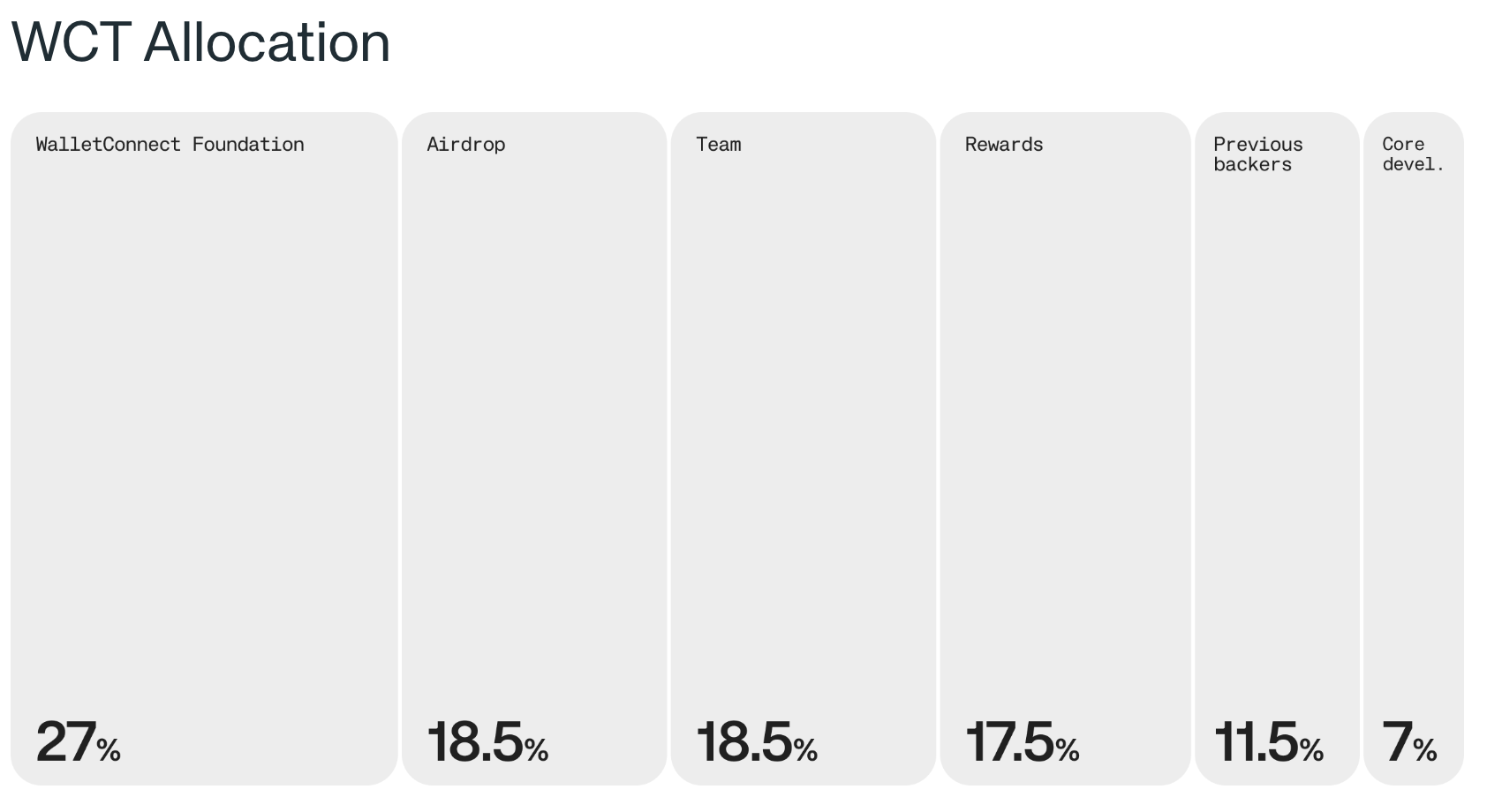
WCT Token Allocation
Token Utility
● Governance: WCT holders can vote on decisions such as protocol changes, funding allocations, fee structures, and incentive programs.
● Staking: Users can stake WCT to earn rewards and participate in governance. Influence is weighted based on the amount and duration of the stake.
● Network Rewards: Service nodes and wallet providers can earn WCT by contributing to the network’s performance and reliability. Metrics like uptime and response time affect reward eligibility.
● Service Fees: While currently there are no usage fees for the SDK or APIs, any future fees would be governed by the community and potentially linked to WCT.
How to Use WalletConnect
WalletConnect is designed to simplify the process of connecting a cryptocurrency wallet to a decentralized application (dApp). You don’t need to install anything extra—WalletConnect is built into many wallet apps and dApps by default.
Step 1: Choose a Compatible Wallet
Download a wallet that supports WalletConnect, such as Bitget Wallet.
Step 2: Open a Decentralized Application (dApp)
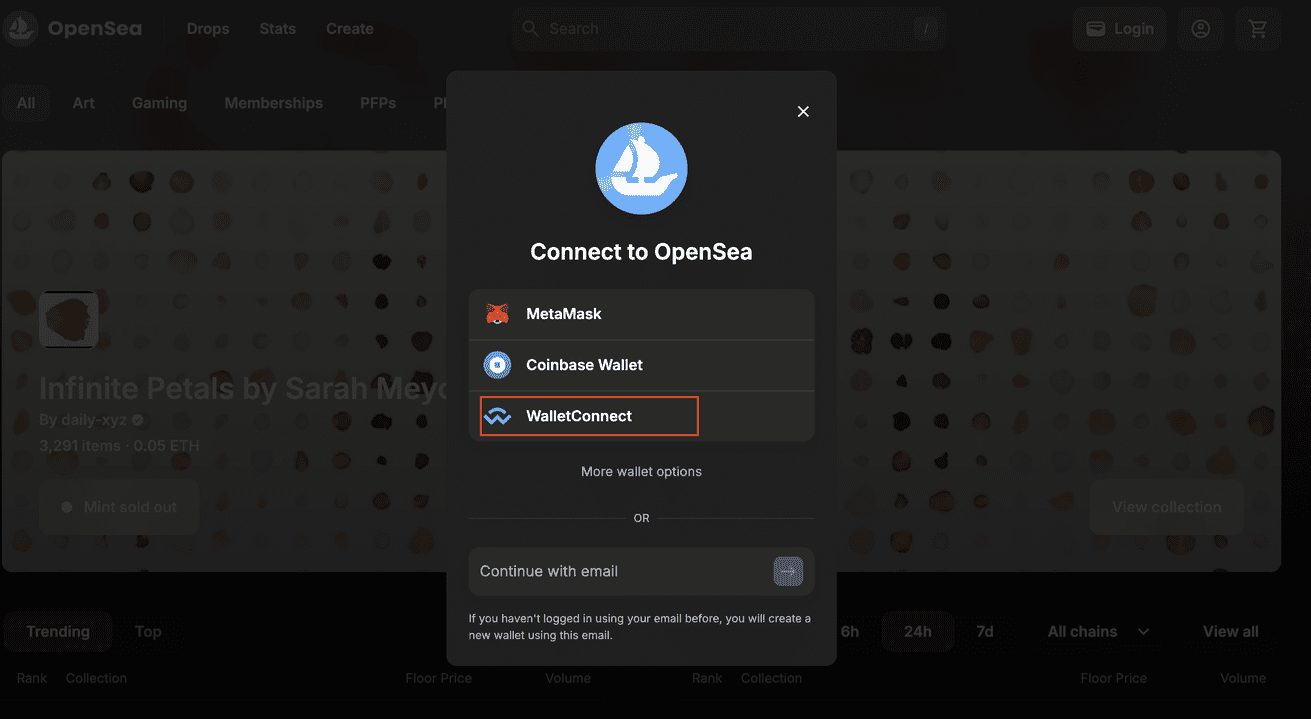
Visit a dApp such as Uniswap, OpenSea, or PancakeSwap. Click the “Connect Wallet” or “Login” button. We will use OpenSea as an example.
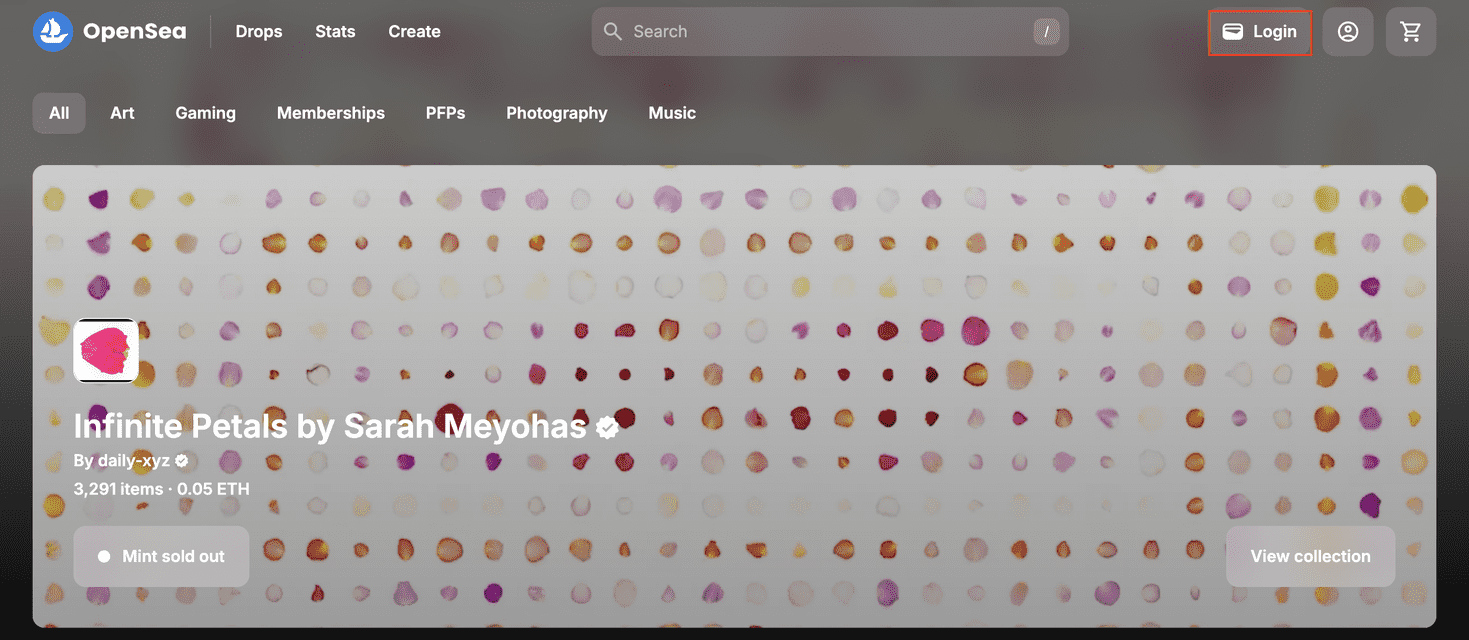
Step 3: Select WalletConnect
When prompted, choose WalletConnect from the list of connection options. A QR code will appear if you're on the desktop. On mobile, the app may offer a list of compatible wallets to open directly.
Step 4: Scan the QR Code or Tap the Link
On desktop: Open your wallet app, go to the WalletConnect section, and scan the QR code shown on the dApp.
On mobile: Tap the WalletConnect link and select your wallet to approve the session.
Step 5: Approve the Connection
Your wallet will display a request. Review the details and confirm the connection. This authorizes the dApp to view your public wallet address and interact with you during the session.
Step 6: Start Interacting
Once connected, you can use the dApp—swap tokens, mint NFTs, stake crypto, or vote on governance proposals. Each action must be approved from your wallet for security.
Step 7: Disconnect When Finished
To close the session, disconnect from the dApp or end the connection inside your wallet. This helps prevent unauthorized activity if you leave a session open.
Is WalletConnect Safe?
WalletConnect is considered a secure method for connecting cryptocurrency wallets to decentralized applications. It uses end-to-end encryption to protect communication between your wallet and the dApp, and it does not store or access your private keys—transactions are signed directly within your wallet. Because it is open source, the protocol can be reviewed and audited by the community. While WalletConnect provides strong security by design, users should still take precautions, such as only connecting to trusted dApps, avoiding unknown QR codes, and verifying transaction details before approval.
Conclusion
WalletConnect plays an important role in the Web3 space by allowing users to connect their wallets to decentralized applications in a secure and simple way. It works across different devices and blockchains, giving users more flexibility without compromising privacy. With the introduction of the WCT token, the protocol now includes governance, staking, and reward mechanisms that support its shift toward decentralization. As the crypto ecosystem matures, WalletConnect provides a practical solution for anyone looking to access dApps with greater control and security.


