

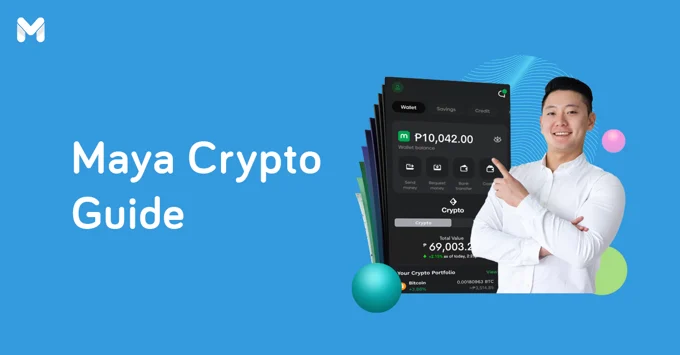
With the rising popularity of digital banks in the Philippines, a lot of fintech companies in the game are coming up with features to draw users in. For Maya, it’s the crypto functionality.
Yes, you heard it right. Maya now lets you buy, sell, and invest in different coins. It just goes to show how powerful it is as a digital bank.
Intrigued? You’ve come to the right place. We’ve put together a comprehensive walkthrough of Maya Crypto. This covers the essentials, such as sign-up and cash-out, plus a few important tidbits.
What is Maya Crypto?
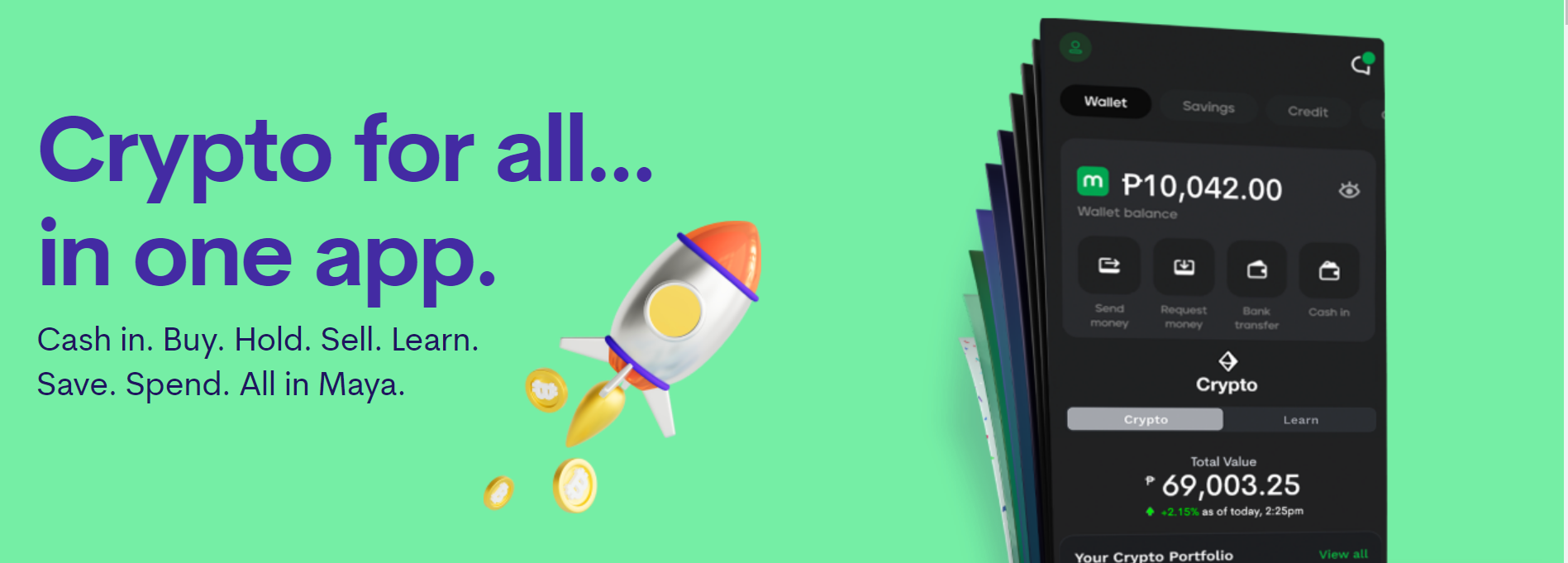
Maya Crypto is one of the many useful features of Maya Bank. Launched in April 2022, Maya Crypto lets you buy, hold, and sell different cryptocurrencies. Take note that Maya Crypto isn’t a separate app—it’s a component integrated into the Maya app.
So what makes Maya Crypto special? Foremost, it’s designed to be beginner-friendly, as seen in its streamlined user interface. It also allows you to trade crypto for as low as ₱1, making it a practical platform choice for blockchain newbies.
Maya is a legitimate fintech company, but for your peace of mind, the bank’s crypto services are operating by virtue of the Virtual Asset Service Provider (VASP) license from the Bangko Sentral ng Pilipinas (BSP).
Pros of Using Maya Crypto
Maya’s spanking new crypto feature comes with some advantages, especially for crypto newbies. Here are some of them:
Doesn’t Require a Large Investment Capital
As mentioned, you can invest in crypto for as little as ₱1. You don’t need to save up for capital. You can readily invest your bills payments’ loose change or whatever is left of your monthly budget.
Multifunctional and Easy to Use
You don’t need to install different apps for your different transactions. Thanks to the multifunctional Maya app, you can handle your crypto transactions, such as buying, selling, cashing in, and cashing out, in one place.
Unlike other crypto platforms that overwhelm you with charts and codes, Maya has made cryptocurrency easy to digest and understand.
Earnings Can be Spent Right Away
Sold your crypto? You can easily spend the profit without leaving the Maya app. Since the crypto component is integrated into the app, you can pay bills, buy mobile load, and more right away.
Free Cash-in
Say goodbye to cash-in fees! With Maya Crypto, you can load your wallet through over 90,000 channels. These include banks, groceries, drug stores, Smart Padala branches, department stores, remittance centers, and more.
Cons of Using Maya Crypto
Sure, Maya Crypto has a lot of benefits. However, it also has its fair share of drawbacks, such as the following:
Relatively New
Maya Crypto is a relatively new feature, and some bugs may appear from time to time. Nevertheless, you may be able to address such issues by updating the app.
Fully Integrated with Your Personal Finances
It’s not exactly a bad thing, but it’ll still depend on your spending behavior. Since Maya Crypto is completely integrated into your Maya app, the boundaries between your everyday finance and crypto investment may get blurred.
Because you can readily spend your crypto earnings, you may find yourself using them for unplanned purchases. However, you can prevent this from happening with discipline.
May Not be Suitable for Advanced Crypto Investors
If you’re an intermediate to advanced crypto investor, you may find Maya Crypto basic. You may not find the features and tools you need for more fast-paced trades. For instance, you can't transfer crypto to or from the Maya app.
How to Sign Up for Maya Crypto
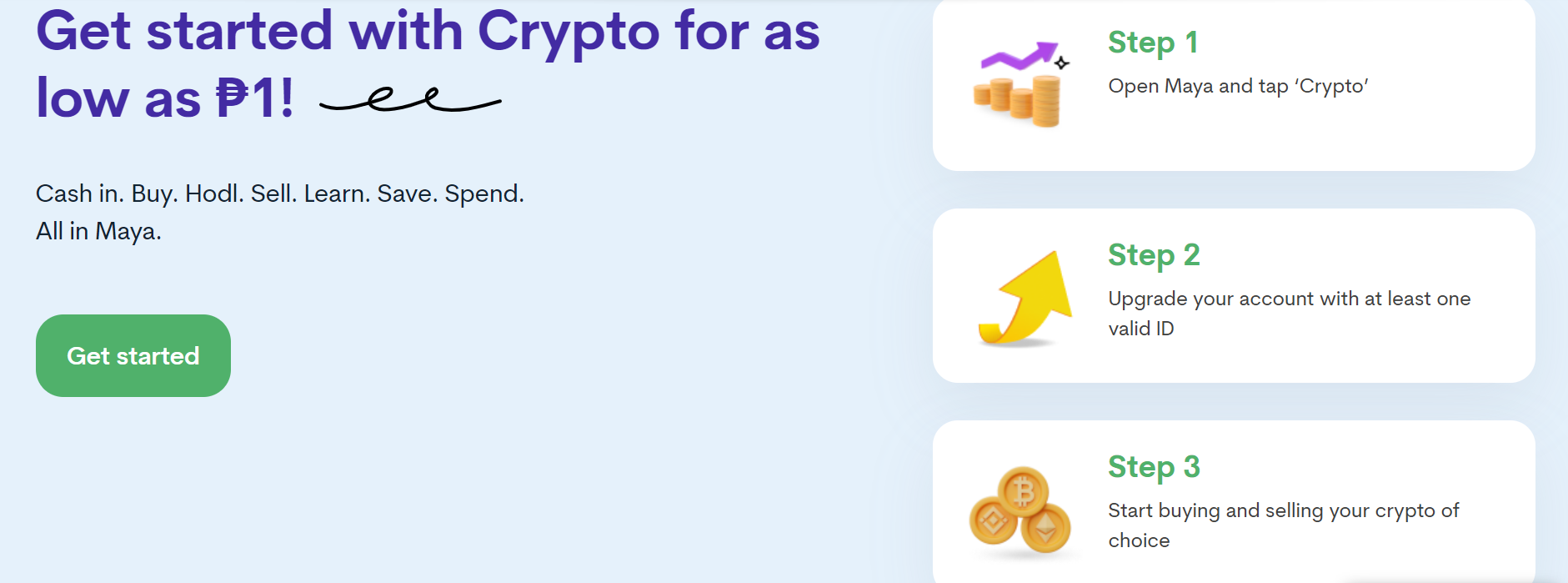
Ready to trade some crypto on Maya? Not so fast. You have to create an account first and then upgrade it afterward. Thankfully, it’s easy. Here are the steps:
Step 1: Create a Maya account. Skip this step if you already have one. Here are the steps for account creation:
Download the Maya app from the App Store, Google Play, or Huawei AppGallery.
On Maya’s homepage, tap Start an Account.
Supply the required personal information.
Read the Data Privacy Policy page. Once done, tap Agree.
The system will then send you a verification code via SMS.
Enter the code into your app. Then tap Proceed. If you want to earn rewards, input an invite code.
Step 2: Upgrade your account to access Maya Crypto. Here are the steps:
Open your Maya app. Then tap Crypto.
Supply the required information. Add at least one valid primary ID or two valid secondary IDs.
Submit a five-second video of yourself. Follow the on-screen instructions to complete the application process.
Once your application has been approved, you’ll receive a confirmation via SMS within 24 hours.
Step 3: Once your Maya account has been upgraded, you can start buying and selling crypto.
How to Buy Crypto on Maya Crypto
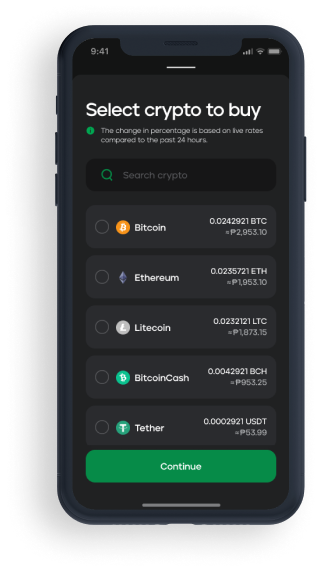
Buying crypto on Maya is as easy as 1, 2, 3—literally! Access the Invest tab on your app and make sure that your Maya wallet has enough balance. Here are the steps:
Tap the Buy button and choose the crypto you’d like to buy.
Enter the amount that you want to spend.
Confirm the purchase. The purchased crypto will be reflected in your portfolio together with its current peso value.
How to Sell Crypto on Maya Crypto
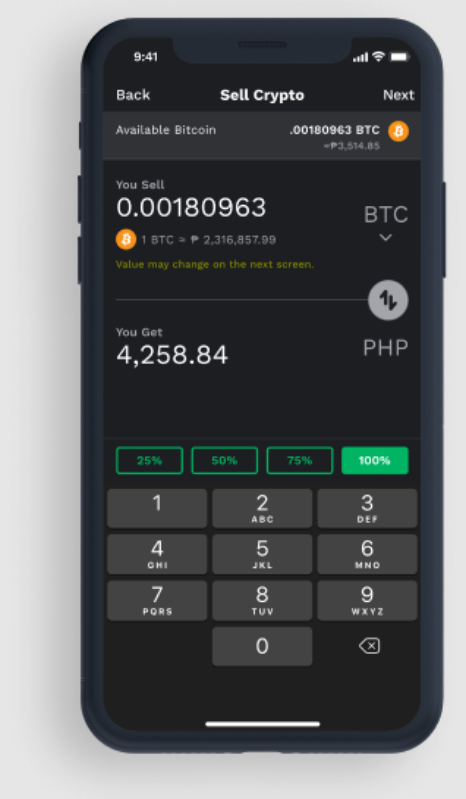
Just like buying cryptocurrencies, you can sell your crypto by accessing the Invest tab on the app. Here's the selling process:
Tap the Sell button and choose the crypto that you’d like to sell.
Enter the amount you’re willing to sell it for.
Confirm the sale. Your Maya wallet balance will then reflect the transaction.
How to Cash In on Maya Crypto
Since Maya Crypto is integrated into the Maya app, it relies on your wallet’s balance for funding. As long as your wallet has enough money, you can always trade crypto. Otherwise, you can cash in via the following methods:
Cash-In via Bank
Open your Maya App. Make sure it’s already upgraded.
Tap the Cash In icon.
Tap Bank Account, then select your preferred bank.
Input the amount that you want to cash in. Tap Continue.
Log into your bank account. After that, complete the bank’s authentication requirements.
Choose the source account that you want to link to your Maya account. Tap Authorize.
Once your Maya account and bank account are linked, the amount you want to cash into your Maya account will be transferred.
Cash-In via Partner Merchants
Visit a Maya partner merchant.[2]
Inform the staff that you want to add funds to your Maya account.
You’ll be given a transaction form. Fill it out completely and accurately.
Give your money to the staff. You may be asked to show your ID for verification.
Once the money is deposited into your account, you’ll receive an SMS confirming the transaction.
Cash-In via TouchPay Kiosks
Open your Maya app and tap the TouchPay icon.
Enter the amount you want to cash in.
Wait for the 7-digit code that will be sent to you via SMS.
Go to any TouchPay kiosk. On the screen, tap e-money, then Maya.
Enter the 7-digit code you received and your desired cash-in amount.
Wait for an SMS confirming your successful cash-in.
How to Cash Out on Maya Crypto
Technically, you don’t need to cash out the earnings from your crypto. This is because the sale proceeds will be deposited into your Maya account, meaning you can readily use them for your purchases and other transactions. This is a convenient feature, as you don’t have to take extra steps to withdraw your crypto profits.
Maya Crypto FAQs
Sure, Maya Crypto is easy to use and doesn’t have complicated instructions. But if you still have some questions about it, you may find the answers here.
1. Is my Maya wallet the same as my crypto wallet?
No, according to Maya. Because cryptocurrencies are a different kind of asset, your crypto wallet is separate from your Maya wallet. The good thing is you can access them both through the Maya app. Your Maya wallet is located on your home screen while your crypto wallet is under Maya’s Invest category.
2. Can I cancel my crypto purchase?
If the crypto purchase is already confirmed, you won’t be able to cancel the transaction. But if you want to get your money back, you’ll have to sell your crypto. You may not get the same amount, as crypto prices may have changed at this point.[3]
3. Is a credit card required for buying crypto?
As long as your Maya wallet has enough money, you don’t need to use a credit card. Refer to the cash-in methods above to make sure your wallet always has funds.
4. I want to check my transaction history. What should I do?
You can access your crypto-related transactions via the portfolio page. For a more organized approach, Maya separates the transaction history per cryptocurrency. Remember that you only have access to transaction records up to three months prior.
To see your crypto transaction history, here’s what you need to do.
On the Invest Crypto page, tap View All under the Your Crypto Portfolio section.
On the next page, tap the cryptocurrency that you want to check.
Tap the funnel icon to filter your transactions by date and transaction type.
Final Thoughts
Maya proves that it’s more than a digital bank by offering a platform that allows newbies to explore the world of crypto. Maya Crypto may be basic, but it does the job.
If you’re serious about crypto investing, don’t skip the baby steps. Before moving on to much more advanced wallets or exchanges, get a feel first of your risk appetite and investment drive through simpler apps like Maya Crypto.


